Auto Repair Software Case Study: From Front Desk to Technician Workflow
How 5 Star Support turned an independent repair shop's daily workflow into a connected operating system for customers, vehicles, repair orders, technicians, payments, reporting and multi-device use.
A repair shop needs one connected flow, not disconnected screens.
A repair order is not just an invoice. It starts with a customer and vehicle, moves through diagnosis and estimates, picks up labor and parts, changes status, may require approval, gets worked by a technician, reaches payment, and becomes history the next time the vehicle returns.
Operational friction
Front desk and shop floor need the same current job status.
Customer and vehicle history needs to survive repeat visits.
Declined work needs to be saved for later instead of disappearing.
Payments, deposits, unpaid balances and reports must reconcile.
Multiple devices cannot create duplicate or stale copies of the same repair order.
The design goal
Build a system where the repair order becomes the operational record for the job, while customer, vehicle, quote, technician, payment and reporting data remain connected around it.
The shop should spend less time asking “where is that information?” and more time moving the vehicle through the workflow.
What was built
Two connected workspaces for two different jobs.
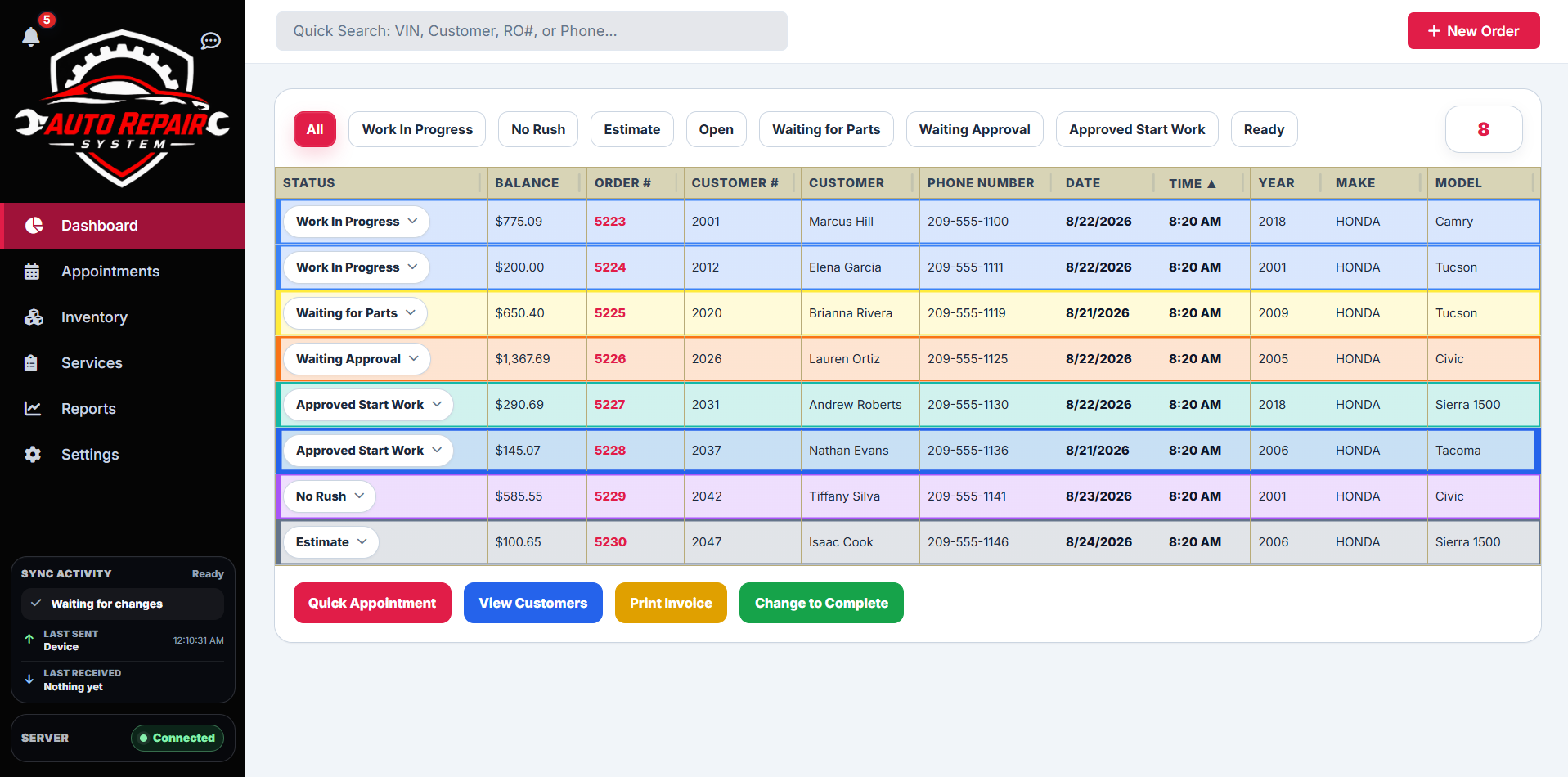
Front Desk System: current orders, appointments, customer records, reports, payment and shop administration.
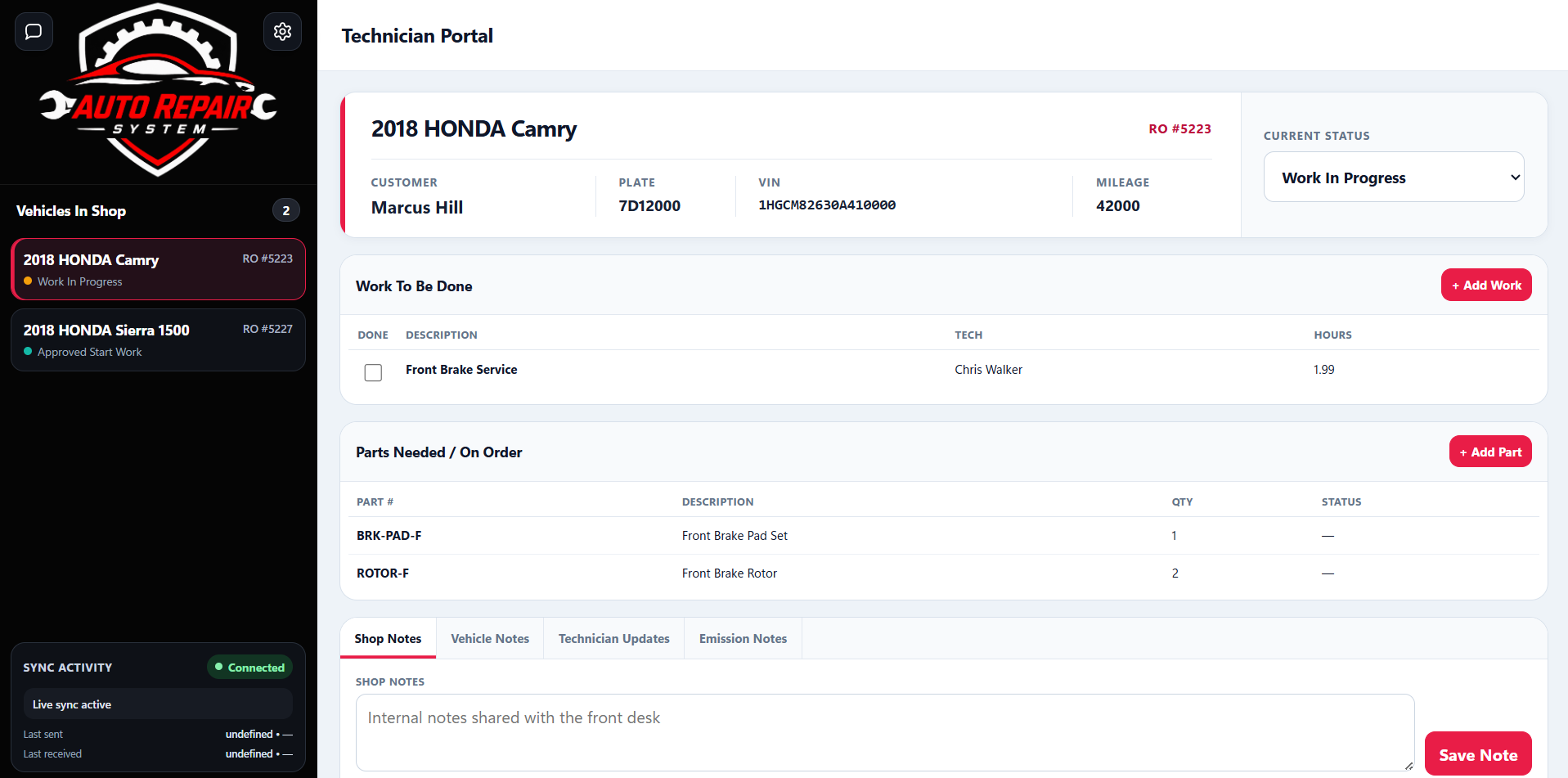
Technician Portal: the shop-floor view for active vehicles, job status, labor, parts, notes and work updates.
The workflow
One repair order, from intake to closed invoice.
1. Intake
Existing customers can be found quickly. New customer and vehicle information is entered once, with ZIP and VIN tools helping reduce repeated typing.
2. Repair order
Labor, parts, packages, notes, technician information and customer-facing details stay together on the order.
3. Technician handoff
The active job appears in the technician workflow so work can continue without re-keying the order on another device.
4. Status & approval
Waiting for parts, waiting for approval, in progress and finished states create a visible shop workflow instead of relying on verbal updates.
5. Payment
Deposits, paid balances, unpaid balances and final payment are handled against the same repair order before it moves into history.
6. Reporting & return visit
Closed jobs become part of reports and customer/vehicle history, while deferred or quoted work can be available when that vehicle returns.
What real use changed
The product got better because the shop exposed the edge cases.
Production use forced the system beyond “happy path” demos. The work included hardening how orders are created, updated, synchronized, deleted, paid, reported and reopened across devices.
Data preservation
Active customer, vehicle and repair-order information had to remain intact through updates and synchronization changes. Fixes were treated as migration-safe changes rather than “start fresh” shortcuts.
Multi-device sync
The front desk and other shop computers needed to receive current records without duplicates, stale copies or manual refresh rituals. Synchronization became a core reliability area.
Payments & reporting
Deposits, full payments, unpaid balances, reporting dates and daily/monthly totals were repeatedly tested because small accounting inconsistencies become large operational problems.
Quotes for later
Declined or future labor and parts needed a safe place to live so they could be moved to a later repair order for the same vehicle instead of re-created from memory.
Performance
Startup, popup speed, typing responsiveness and long-running stability were treated as product issues, not just cosmetic concerns.
Technician usability
The technician side was simplified around the information and actions needed on the shop floor, while administrative tasks stayed with the front desk.
Result
A working shop system that can now be deployed as a finished product.
The same software foundation that was refined through this live implementation is now packaged as the ready-to-deploy Auto Repair System: Front Desk System for $1,000 one-time with the Technician Portal included free, no recurring 5 Star Support core-software subscription, and no per-technician software seat fee.
What this case study proves: 5 Star Support did not design the Auto Repair System only from a feature checklist. The workflows, edge cases and reliability work came from actual use inside a working repair environment.