Checked In
The vehicle enters the technician workflow with the job information created by the front desk.

Give technicians a focused workspace for the active vehicle while the front desk keeps control of the customer, repair order, approvals, payments and shop administration.
Technicians need a different view of the same repair order. The front desk cares about the customer, scheduling, estimates, payment and reports. The technician cares about the vehicle in the bay, the approved work, the labor and parts attached to it, notes, and what status the job is in right now.
A good technician portal separates those responsibilities without separating the data. That is the approach behind the 5 Star Support Technician Portal.
The shop floor should not be cluttered with payment administration, customer billing decisions, report configuration or front-office navigation that does not help finish the vehicle. Role-specific software is useful because it removes those distractions.
The vehicle enters the technician workflow with the job information created by the front desk.
The technician can move the job into active work and keep the current status visible.
Waiting for parts or approval becomes an explicit workflow state instead of a verbal note.
Additional labor or parts can be attached to the job so the front desk can see what changed.
The shop floor signals that the technician side is complete and the vehicle can move toward final front-desk steps.
The completed work remains tied to the repair order, customer and vehicle instead of disappearing from the technician screen.
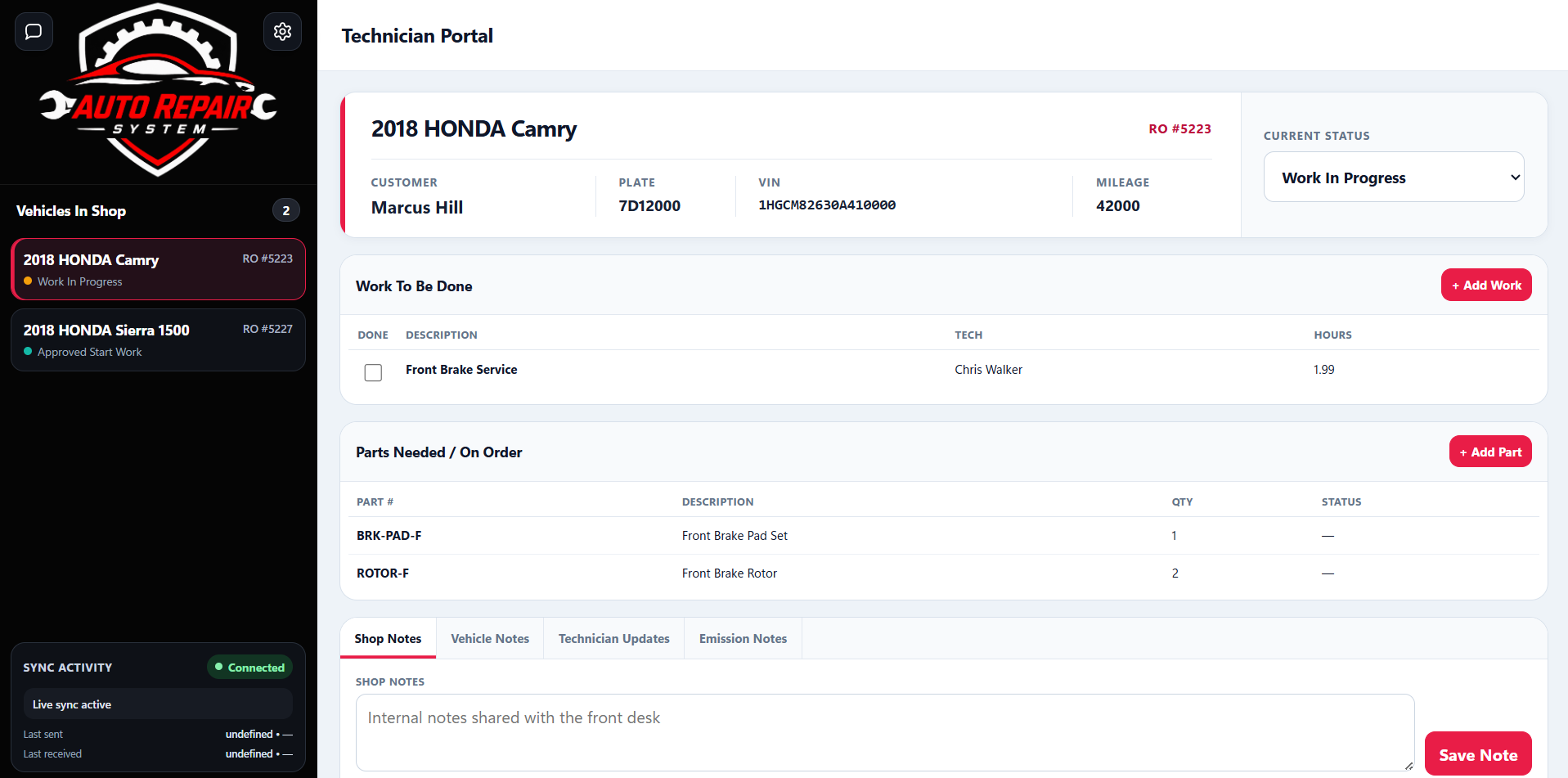
A technician portal is only useful if the front desk sees the changes. If the technician marks the job waiting for approval, adds a part, or finishes the vehicle, that update should become part of the same shop record.
Multi-device reliability has been one of the areas repeatedly hardened through real use of the Auto Repair System because stale or duplicate orders are worse than having no portal at all.
The demo shows the repair order moving from the front desk into the Technician Portal and back again.