Create
Find an existing customer or create a new one, choose the vehicle, and start the repair order with the known intake information.

A repair order should be more than a printable invoice. It should be the connected operational record that follows the vehicle from check-in through work, approval, payment, reporting and the next visit.
The most useful repair-order system is not the one with the longest feature list. It is the one that makes the same job understandable to the service writer, technician, owner and customer without everyone maintaining separate versions of the truth.
The order should remain attached to the correct customer and vehicle so the history is usable on the next visit. That includes basics such as VIN, plate, year, make, model, odometer, customer contact information and previous service.
Labor and parts belong together on the repair order, but declined work should not be lost. A useful system preserves quotes or deferred work by vehicle so it can be pulled forward when the customer returns.
Checked in, in progress, waiting for parts, waiting for approval, ready, complete and paid are operational states. When those states are visible on the front desk and technician side, fewer updates depend on someone walking across the shop.
Deposits, partial payments, unpaid balances and final payments should reconcile to the order and to reporting. If the job total says one thing and the daily report says another, the software is creating work instead of removing it.
Closing a repair order should not bury the information. The customer and vehicle history should still make the invoice, parts, service and notes easy to find later.
Find an existing customer or create a new one, choose the vehicle, and start the repair order with the known intake information.
Add labor, parts, packages, notes, estimates and technician information while keeping totals visible.
Technician and status changes move the job through the shop without creating a second disconnected work list.
Extra work and deferred items can be managed without losing the original order context.
Capture deposits or final payment, move unpaid balances when needed, and print the invoice.
Completed work becomes part of the customer and vehicle history while future quoted work remains available for the next visit.
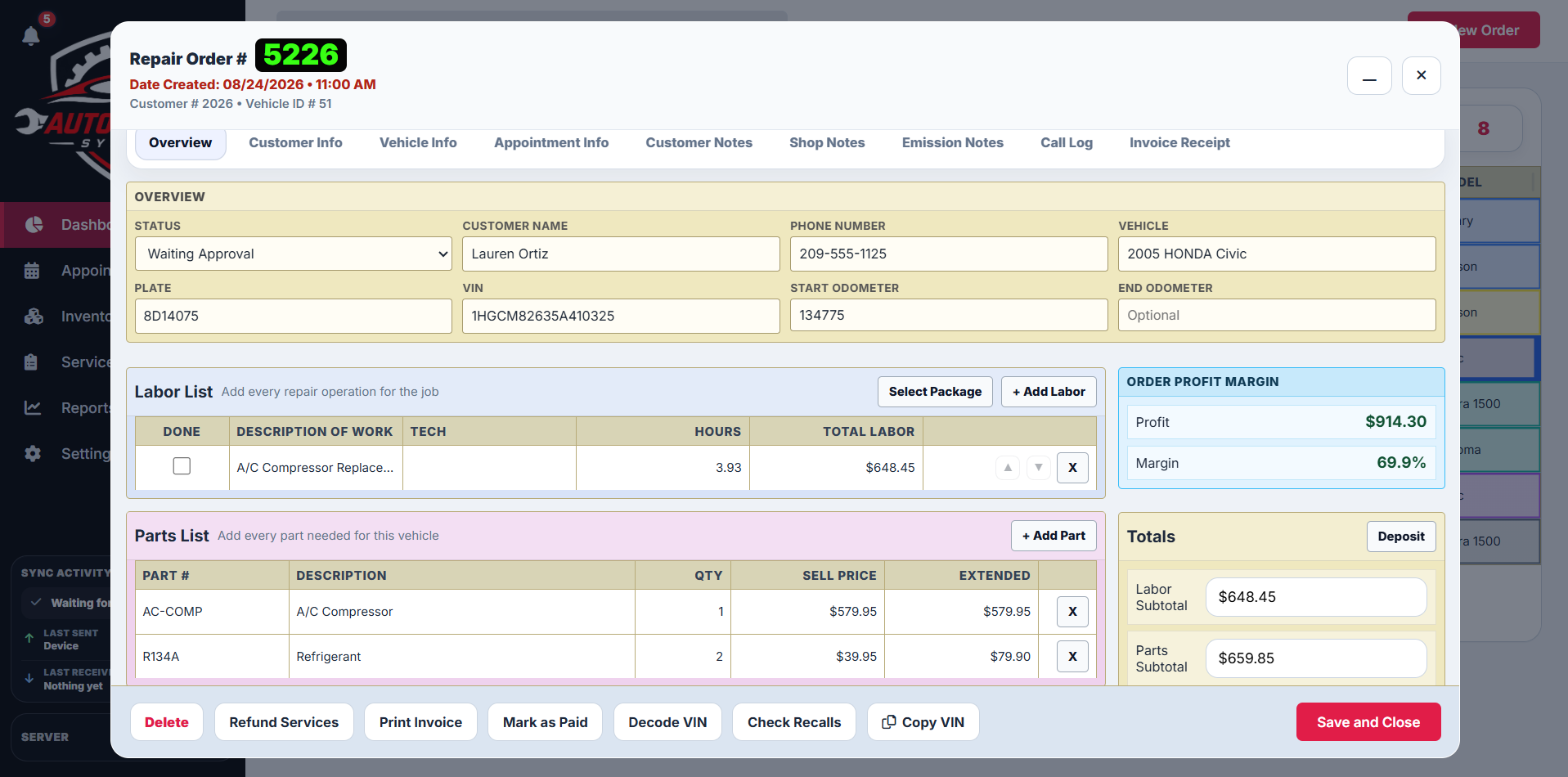
When the front desk creates the job, the technician should be able to work from that same record. When the technician adds information, the front desk should see it. When the job is paid, the reporting system should not require another manual update.
That is the architecture behind the ready-to-deploy Auto Repair System: one connected shop workflow instead of separate mini-systems for each role.
Watch the system demo or explore the production case study.